What is Mouse DPI? Does DPI Matter?
What is DPI?
DPI means Dot Per Inch. In theory, if a mouse has 1600 DPI, then, if you move your mouse one inch (2.54 cm), the mouse pointer will move 1600 pixels.
The higher the DPI, the more sensitive the mouse is. That is, you move the mouse even a tiny bit, the pointer will move a huge distance across the screen.
Almost all mouse sold today have about 1600 DPI. Gaming mouses usually have 4000 DPI or more, and can be increased/decreased by pressing a button on the mouse.
DPI is a marketing ploy for gaming mouse. The importance of DPI is a undying myth. In fact, many competitive first-person shooter game players set their mouse DPI to 1200 or even 800. Because lower DPI gives you precision.
How to find out my mouse DPI?
There's no easy way to get the precise number, unless you have scientific equipment.
The only way is to see your mouse maker's spec. (assuming they are not lying.)
In general, cheap mouses in 2000s have 800 DPI, and in 2010s they have 1200 to 1600 DPI.
Which Mouse Has the Highest DPI
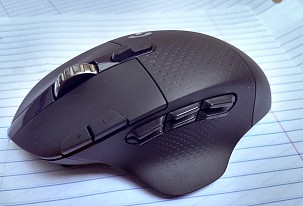 G604
G604Logitech G604, sporting 25.6k DPI.
How to set my mouse DPI?
For cheap non-gaming mouse, you cannot. However, you can use Windows mouse setting to “accelerate”. It has the same effect as higher DPI for non-gaming purposes.
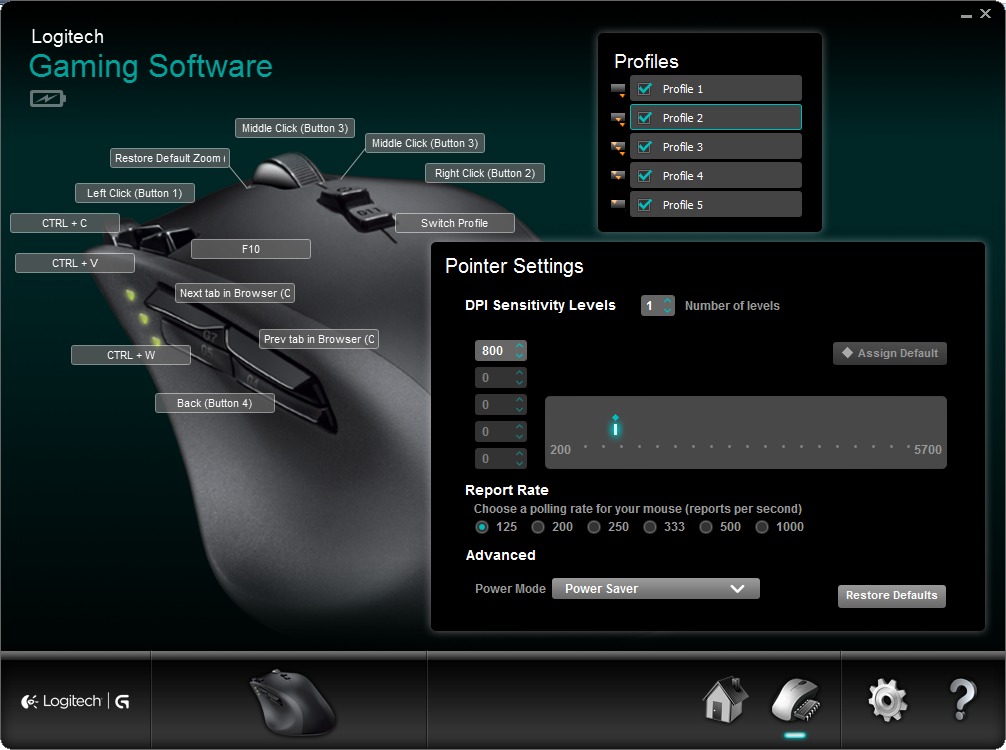
Many gaming mouses have DPI settings. Some are fixed, for example, 3 DPI settings of {1200, 1600, 2000}. Some gaming mouse lets you config to any DPI within a range, for example, from 400 to 4000. Typically, they also let you set the buttons to increase/decrease DPI, or activate a specific DPI.
What is USB Polling Rate?
USB Polling Rate is how frequent your computer checks for signal from the mouse.
By default, USB polling rate is 125 Hz in Microsoft Windows and Linux, meaning, 125 times per second, or every 0.008 second.
Many gaming mouses can set polling rate to a high number, such as 500 Hz, meaning, 500 times per second.
[see What is Mouse Polling Rate]
Does DPI Matter in Gaming Mouse?
The short answer is: No.
Even cheap mouse today have at least 1600 DPI, which is enough. Higher DPI than that is hard to control the cursor position.
If you have high pixel-density screen, such as Apple's Display with 300 pixels per inch, then you probably want higher DPI.
First-person-shooter pro gamers often prefer low DPI, as low as 800 DPI. This way, you have very precise control of movement.
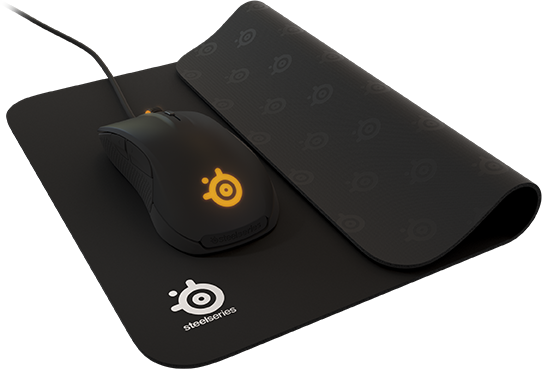
Low-DPI gamers use a huge mouse pad. The mouse pad is as wide as a full-sized keyboard. So they swing their whole arm to use the mouse with low DPI.
“The industry has been highly successful in establishing this number as something highly important, when in reality it doesn't really mean all that much,” Kim Rom, the CMO of SteelSeries told Ars. SteelSeries makes some of the more respected mice and headsets used by pro gamers; this is a company that knows how to make a performance product.
Technology has progressed to a level where you can move your mouse, say, one inch on your desk, and your cursor will move 2 or 3 times your screen length. “That sounds impressive for sure, but where is the real value in that?” Rom asked. “ That doesn't make you more precise or accurate; I would argue that it does exactly the opposite. A higher DPI in a mouse doesn't offer a lot of value, and it is not a benchmark for how precise or awesome the mouse is. It's simply a measure of sensitivity. ”
source:
- Does DPI matter in gaming mice? One mouse-maker says no
- By Ben Kuchera.
- http://arstechnica.com/gaming/news/2010/02/does-dpi-matter-in-gaming-mice-one-mouse-maker-says-no.ars
Understanding DPI
Today, the mouse tracking tech has advanced to a point that doesn't make any sense for consumer to understand.
Here is a video by Logitech engineer explaining DPI.

- https://youtu.be/lc7JVjcPzL0
- Logitech HQ: François Morier, Senior Engineer Explains Mouse Sensor Design
See also this great article:
- Gaming mouse myths busted
- By Wes Fenlon.
- http://www.pcgamer.com/gaming-mouse-myths-busted/2/
Understanding DPI in Depth
- Scrolling With Pleasure
- By Pavel Fatin.
- https://pavelfatin.com/scrolling-with-pleasure/
What DPI Should I Set My Mouse To?
I recommend you just try different settings.
Different mouse have different DPI, and we also have different screen resolution, and different operating systems and games interpret mouse signals differently. All of the above effect the optimal DPI setting.
Also, we all have different habits of holding the mouse, and different motor-skills.
Gamers have been debating about DPI since Microsoft made optical mouse popular around late 1990s, since, it has become a cult issue.
Whichever setting you feel the most comfortable, the better it is, for you.