Emacs: Split Windows
Emacs Split Window Commands:
split-window-below【Ctrl+x 2】- Split current pane in 2, one top and one bottom.
split-window-right【Ctrl+x 3】- Split side-by-side.
delete-other-windows【Ctrl+x 1】- Unsplit all.
delete-window【Ctrl+x 0】- Remove current pane.
other-window【Ctrl+x o】- Move cursor to next pane.
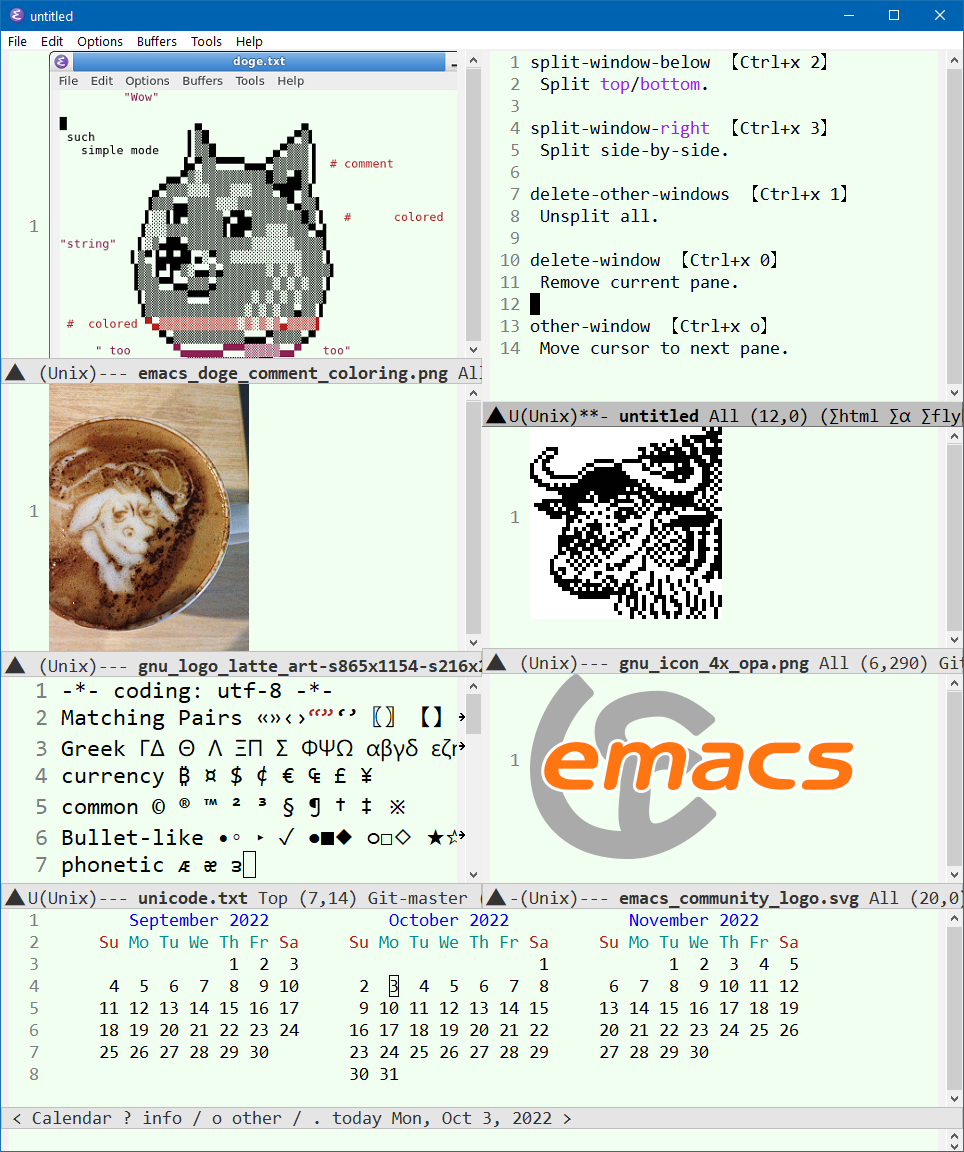
Note, emacs terminology of window/frame is reversed from modern meaning.
- emacs jargon window means frame or pane.
- emacs jargon frame means window.
Adjust Split Pane Size
- Mouse drag the horizontal bar near bottom (that bar is called the mode line, aka status bar) to adjust the split pane size.
- To adjust left/right split panes, drag on the spot at the bottom of the vertical scroll bar.
Or, you can use keys. Here's the commands:
enlarge-window【Ctrl+x ^】- Increase height.
shrink-window- Decrease height.
enlarge-window-horizontally【Ctrl+x }】- Increase width.
shrink-window-horizontally【Ctrl+x {】- Decrease width.
shrink-window-if-larger-than-buffer【Ctrl+x -】- Shrink a window to fit its content.
balance-windows【Ctrl+x +】- Make all panes same width/height.
Most of these commands also take a argument. universal-argument 【Ctrl+u】 first then type a number, then, call the command that adjust window size.