Emacs: Visual Line Mode
- Alt+x
visual-line-mode -
Turn on/off line wrap for current buffer.
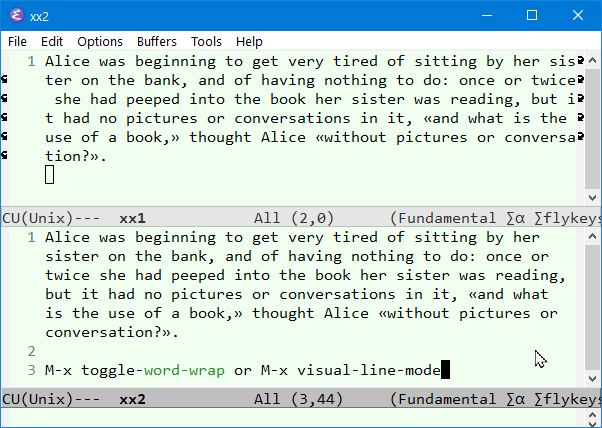
emacs visual-line-mode 2021-05-01 Visual line mode does several things:
- Makes lines wrap at word boundaries. (controlled by variable truncate-lines and word-wrap.)
- Makes up/down arrow keys move by a visual line. (controlled by the variable Emacs: line-move-visual.)
- Makes the
kill-linecommand delete by a visual line, as opposed to a logical line. - Turns off the display of little return arrow at the edge of window. (controlled by the var fringe-indicator-alist.)
- Alt+x
global-visual-line-mode -
Toggle globally
By default, this is off.
To turn it on permanently, put this in your Emacs Init File:
(global-visual-line-mode 1)
Emacs Lines, Column, Cursor Position
Soft-Wrap Lines
Reformat Lines (Hard-Wrap)
- Emacs: Hard-Wrap Lines (fill-paragraph)
- Emacs: Reformat to Long Lines (unfill-paragraph) 🚀
- Emacs: Reformat Lines for Source Code 🚀