How to Disable JavaScript, Flash, Java, in Google Chrome browser, Firefox, Internet Explorer (2013)
This page tells you how to Disable {Java, JavaScript, Flash}, in {Google Chrome, Firefox, Internet Explorer 9, Opera}.
Google Chrome
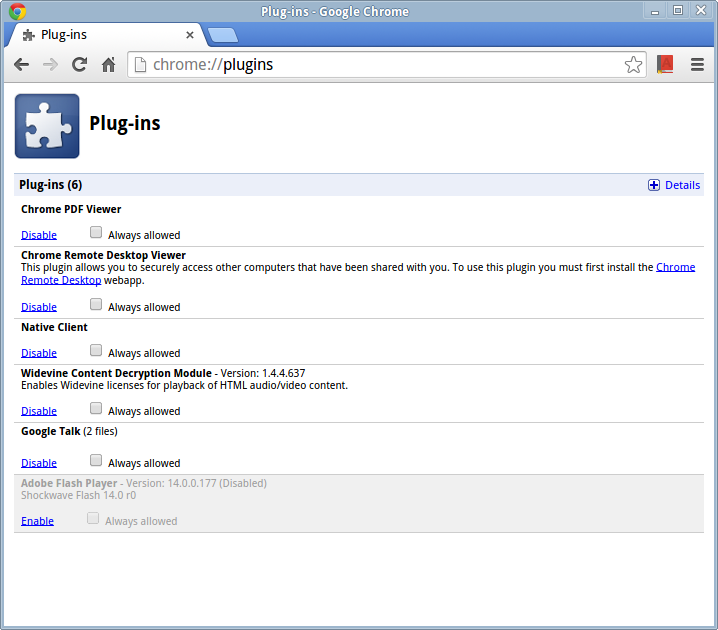
in the URL field, type
chrome://plugins/
[see Google Chrome Browser Special URL (2014)]
As of 2017-04-10, this no longer works. Use
chrome://flags/
Firefox
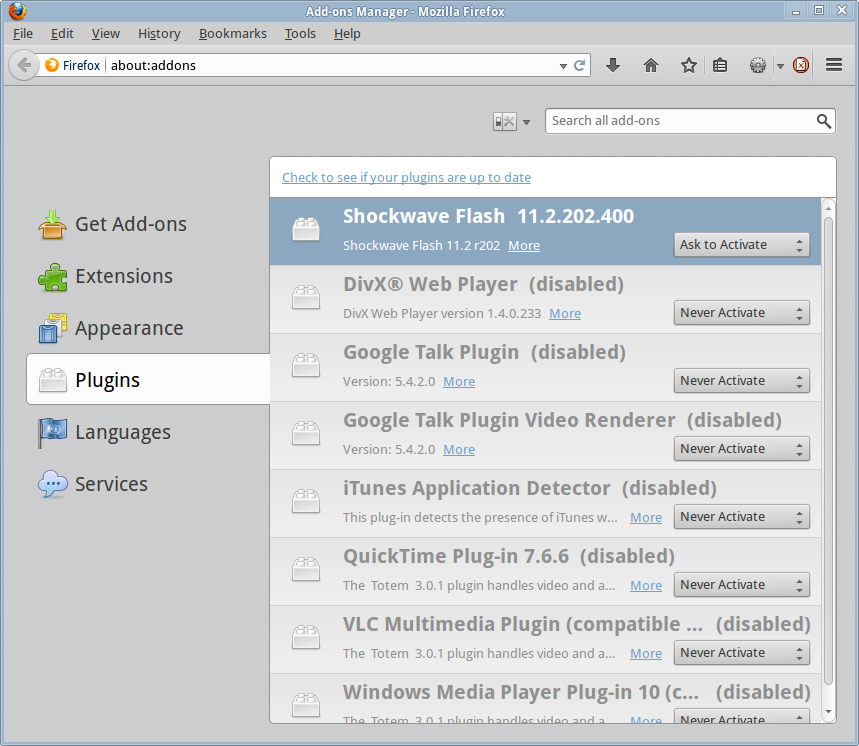
in the URL field, type
about:addons
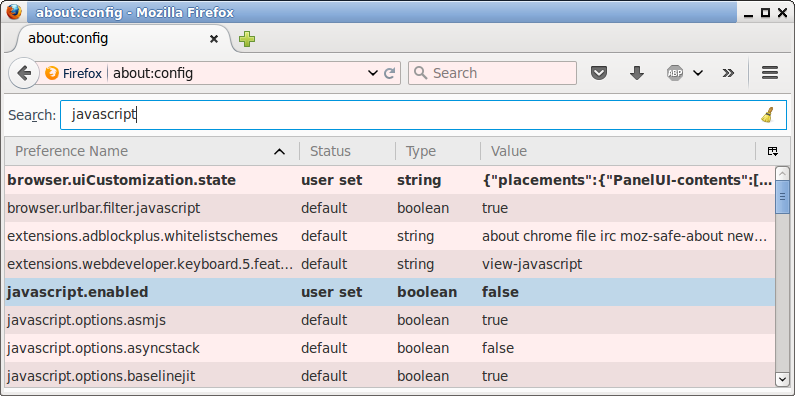
To disable JavaScript, type “about:config” in the URL box, then type “javascript” in the search box, then click on the “false” to change it to “true”.
Internet Explorer 9
- Press and release the Alt key to make the menu show.
- Then go to menu [Tools ▸ Internet options]
- Click on the tab “Programs”.
- then click on the “manage add-ons” button.
Opera
in the URL field, type
opera:plugins
browser related blogs
- Netscape Browser Sucks (2002)
- Web Browsers 2003 Pro and Con
- Google Earth Geography 101 (2006)
- Google asks random street people “what is a browser”. 2009
- Why Opera Browser Sucks (2010)
- How to Clear or Set Proxy in Firefox browser, Internet Explorer (2010)
- Restore Last Session in IE browser, Safari, Firefox, Chrome, Opera (2010)
- Google Chrome, SPDY Protocol, Browser War 2 (2010)
- Web Browser Market Share 2010-02
- Unicode Character Equivalence Support in Web Browsers (2011)
- How to Delete Browser Plugin Flash Cookies. (2011)
- Browser Cookies, Super Cookies, Your Privacy (2011)
- Internet Explorer 9 browser. Turn on Menu. Put Tabs in Separate Row (2011)
- Firefox browser. Set Mouse Wheel Scroll Speed (2011, 2018)
- One Hundred Tabs Open in Browser? (2011)
- Browser bug. Internet Explorer, Cropped SVG Image (2012)
- How to Set Key to Switch to Browser (2012)
- Firefox browser. How to Add/Change Keyboard Shortcuts (2013)
- How to Disable JavaScript, Flash, Java, in Google Chrome browser, Firefox, Internet Explorer (2013)
- Konqueror Browser Sucks (2013)
- Opera browser can't load twitter CSS: OCSP Error. (2013)
- Google Chrome Browser Special URL (2014)
- The Communism Behind Mozilla Firefox (Jamie Zawinski, jwz. 2016)
- Google Chrome Browser Login Scam (2018)
- Firefox browser. Set backspace key to go back to previous page (2015)
- Browser War, Mobile Passed Desktop Since 2016
- Google tweaks YouTube to make Microsoft Browser slower (2018-12)
- Good Browser Extensions (2021)
- Carbon Browser Crypto Web3 Scam (2023)
- Why use multiple browsers (2023)