Emacs 24.4 (Released 2014-10)
This page is a on-going list of tips and tricks about Emacs 24.4. (released in )
If you are on linux and need to build it, see: How to Build Emacs on Linux
Editing Features
snake_case superword-mode
Move cursor by jumping over _. For example: “snake_case”
isearch-forward-symbol-at-point
new isearch-forward-symbol-at-point. See: Emacs 24.4: Search and Highlight Words
Auto Indentation
electric-indent-mode is on by default. Now, pressing Return also does indentation. To insert line-break without indent, press Ctrl+j.
Or, turn off:
(electric-indent-mode 0) ; make return key not auto indent
indent-rigidly 【Ctrl+x Tab】 changed. Call it, then press {←, →} to adjust indentation, or press {Shift+←, Shift+→} to adjust indentation by tab width.
By default, the selection is the beginning of current block up to current line.
Type any other key to exit.
Delete Duplicate Lines
delete-duplicate-lines will delete duplicated lines in current text selection. The lines need not be sorted. You can try it on this:
aaa
bb
cc
aaa
bb
aaa
bb
You can use linux shell tool to do the same. [see Emacs: Run Shell in Emacs]. However, shell command have problems with Unicode, and does not work well on Microsoft Windows. [see Unix Shell Util uniq Unicode Bug]
rectangle-mark-mode
emacs 24.4 has a rectangle-mark-mode 【Ctrl+x Space】.
Alt+x rectangle-mark-mode, then move cursor to highlight a rectangular area. Press Delete ⌦ will delete text in that rectangle area.
This feature was part of cua-mode in emacs before.
Display “lambda” as λ
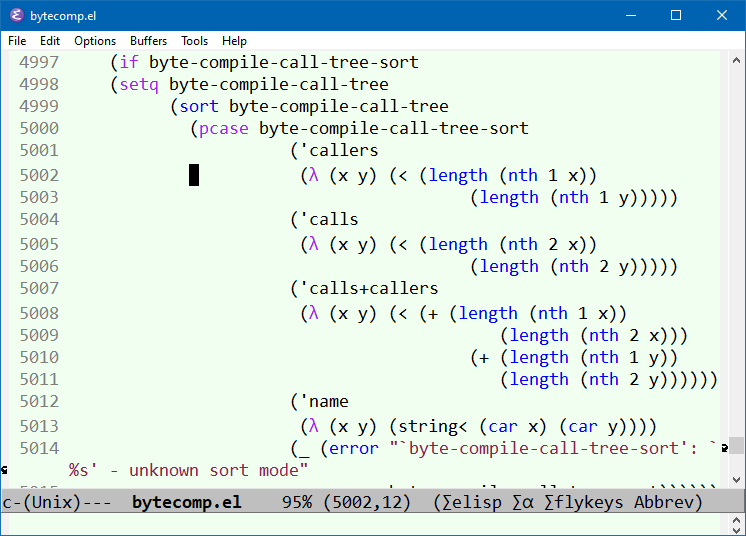
cycle-spacing
New command cycle-spacing. It's like a smart just-one-space. When called repeatedly, it cycles between: one space, no space, original spacing. (this is useless)
Bi-direction Text Arrow Key Direction
new variable: visual-order-cursor-movement. When true (t), ← always moves to the left, → always moves to the right, disregarding the surrounding bidirectional context.
File Features
Unique Buffer Names
emacs 24.4, by default, buffer names are unique. This is done by:
;; uniquify buffer names
(require 'uniquify) ; bundled with GNU emacs 23.2.1 or before. On in 24.4
(setq uniquify-buffer-name-style 'post-forward-angle-brackets) ; emacs 24.4 style, for example: cat.png<dirName>
Alt+x describe-variable then type uniquify-buffer-name-style to see examples of different style.
desktop-save-mode auto Save/Restore
With desktop-save-mode on, now it automatically save/restore opened files, windows config (number of windows, size, position), when quit and restart emacs.
new variable desktop-save. Default is t. When t, desktop are automatically saved when you quit.
new variable desktop-auto-save-timeout. Default value is 30 (seconds). It specifies the time interval to periodically save “desktop”. Before, it saves only when you quit emacs.
New variable desktop-restore-frames. Default value is t. When t, save and restore the frame and window configuration.
Web Browser: Eww
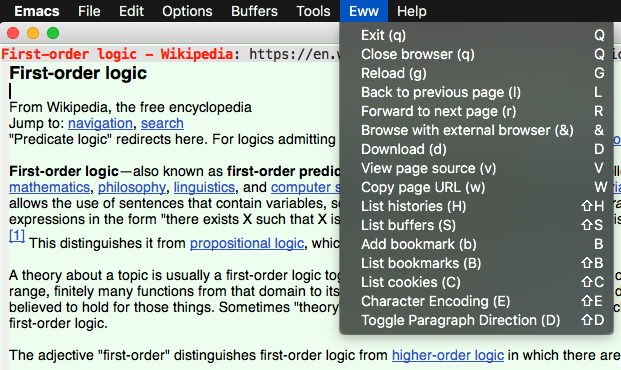
eww browser, 2017-11-10
Bundled web browser: Emacs: Eww Web Browser
Image Viewer New Feature
F11 Full Screen
Alt+x toggle-frame-fullscreen 【F11】 to go to full screen. [see Emacs Keys: Layout Diagram]
Bookmark autosave
Bookmarks are automatically saved when emacs quit. This change may have happened before emacs 24.4. This change is not documented.
[see Emacs: Bookmark]
Menu in Text Terminals
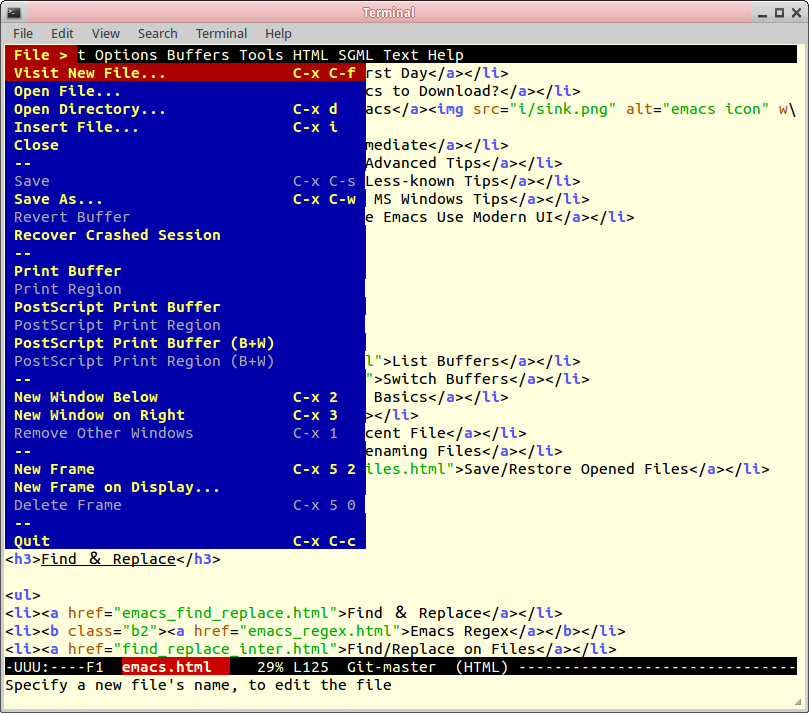
Alt+x menu-bar-open 【F10】 to open menu.
[see Emacs: Command to Open Menu]
Emacs Lisp Changes
New String Functions
Hash Table Functions
To use them, you need to first (require 'subr-x).
hash-table-keyshash-table-values
[see ELisp: Hash Table]
Reference
To read official list of new features, Alt+x view-emacs-news.
see also [Useful New Features in 24.4 By Artur Malabarba. At http://endlessparentheses.com/useful-new-features-in-24-4.html , accessed on 2014-10-14 ]