Windows: Disable Sleep Button
Press 🪟 Windows+s, then type “Control Panel” to launch it.
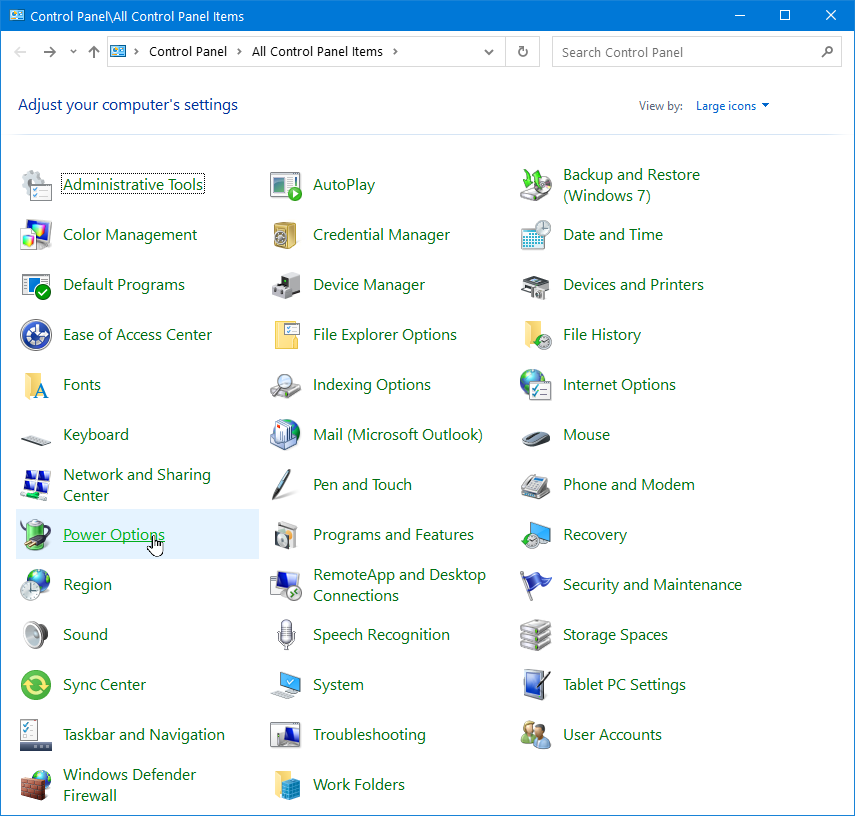
Click on “Power Options”.
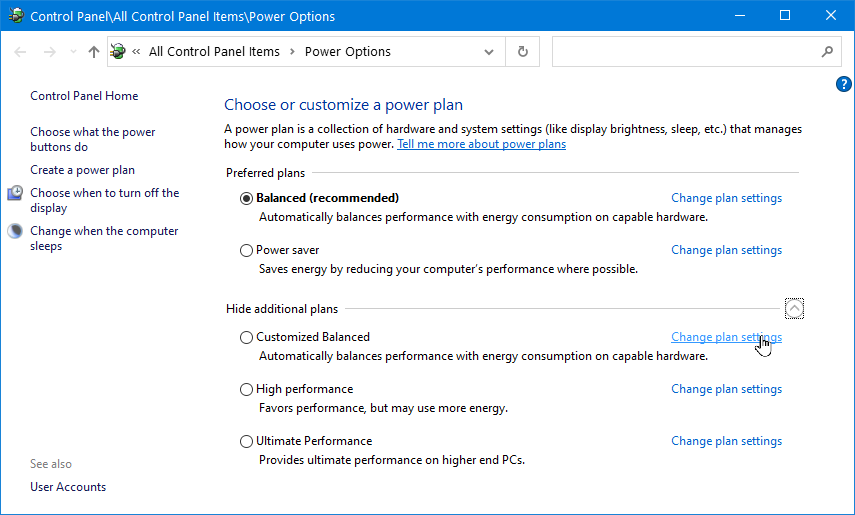
Click on “Show additional plans”, then click on “change plan settings”.
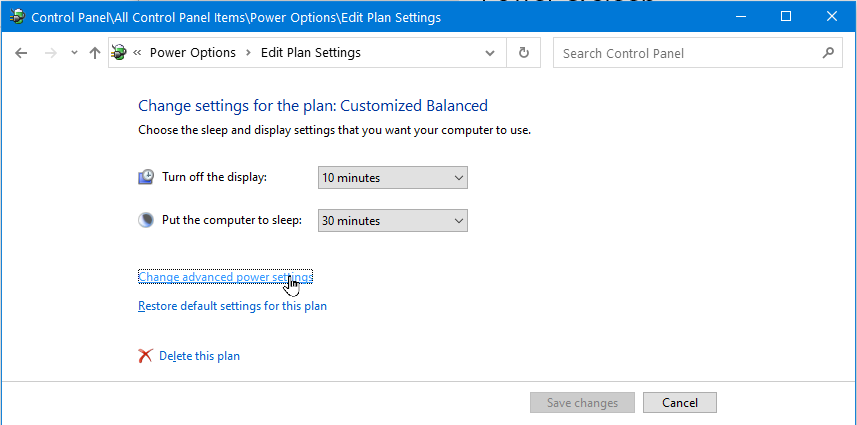
Click on “Change advanced power settings”.
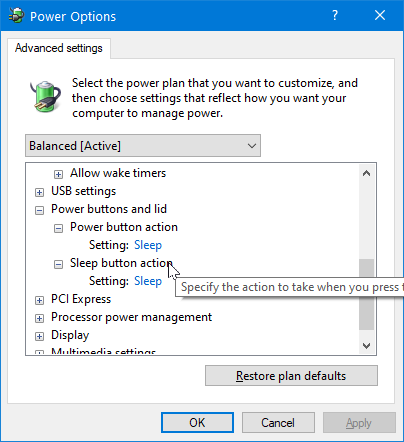
Using Microsoft PowerToys to Disable Sleep Key
If the sleep button does not show in the Power Options dialog, you can use Microsoft PowerToys to disable it.