JavaScript style guide for functional programing
Xah's JavaScript style guide, for functional programing. Ordered roughly from most important, easy to do, to more advanced.
Code Formatting
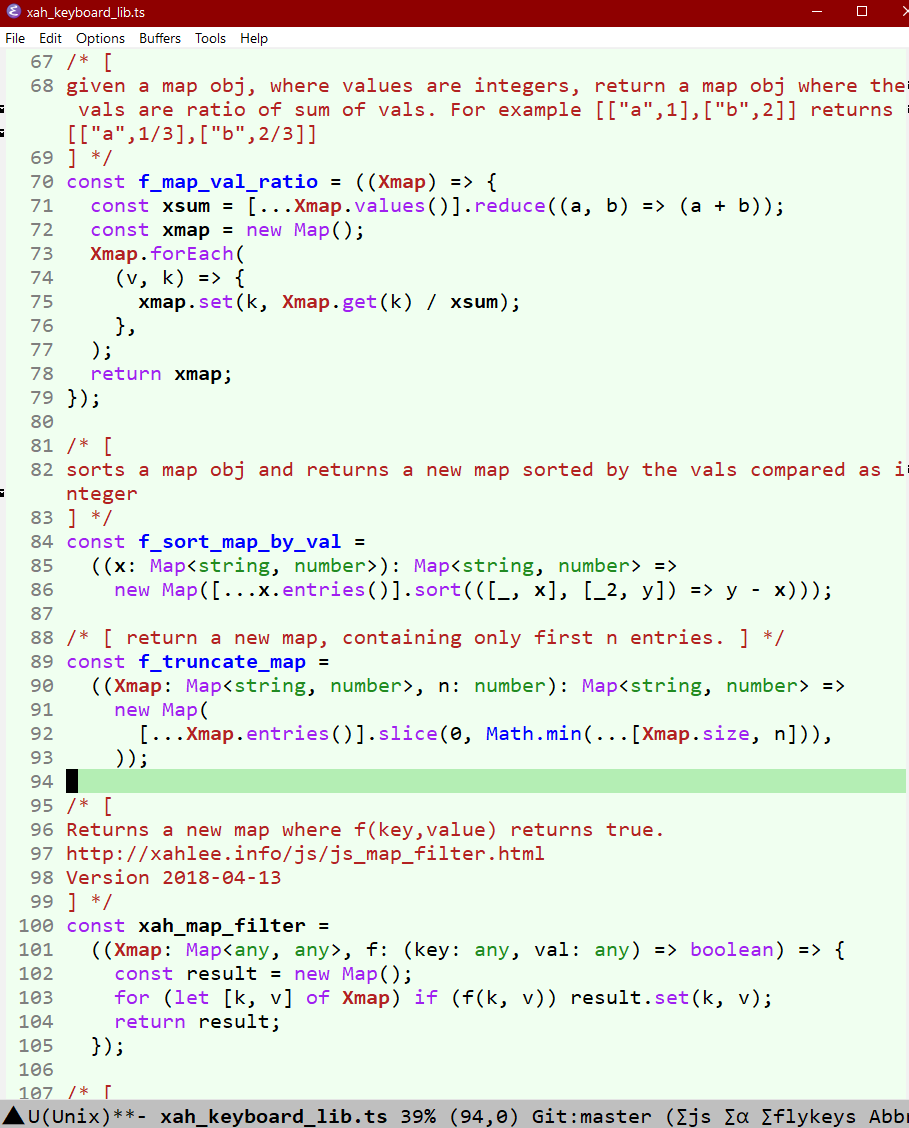
use deno fmt filename
Never use var
Never use var.
It is from early days of JavaScript.
It has complex variable scope
, and complex name-hoisting behavior.
Always use let or const instead.
Always Declare Variable
Never have undeclared variable such as:
x = 3
Undeclared variables becomes properties of global property.
Declare variable by let or const
Never Use Double Equal
- Never use double equal
==. - It does type conversion implicitly, which considers empty array and empty string as equal, etc.
- Use triple equal
===instead.
Never Use for-in Loop
When you use for-in Loop, it goes thru the Prototype Chain. That's almost never what you want.
To go thru properties, use:
Object.keys
then use
Array.prototype.forEach
Never Use “with” Statement
The with statement creates semantic ambiguity of code inside its curly brackets,
if local variable are declared using var, it can mean the property of a object.
// note: the with statement is deprecated. it is not allowed in use strict mode or any modern JavaScript code with modules

const jj = { x: 4 };

with (jj) {
// x is meant to be local variable
    var x = 3;
// but actually, it is considered jj.x
};

console.log( jj );
{ x: 3 }
// jj.x is changed
const jj = {x:4};

with (jj) {
    let x = 3;
}

console.log( jj );
// { x: 4 }
// jj.x is not changed
Never assign array by index
this creates Sparse Array.
- use
pop,push,shift,unshift,splice - JS: Array.prototype
// define a empty array
const xx = [];

// assign a value to a slot
xx[0] = 82;
xx[1] = 34;
xx[3] = 96;

console.log(xx);
// [ 82, 34, <1 empty item>, 96 ]

// value of xx[2] do not exist
Never Use the Delete Operator
Never use the delete operator
- The return value is true even if arg is not object.
- On array, it creates Sparse Array.
Use:
Better is actually never delete property of a non-array object. Set the property value to null, if you must.
If you are using data object as a key and value collection, use Map.
Never Use the Arguments Object
Don't use the arguments object.
You never need it.
It was designed before rest parameter syntax were introduced.
Never Use the Property named “constructor”
Never use the property key "constructor".
Because its value is not reliable.
The “constructor” concept is fickle in JavaScript.
better is to query a object's prototype, or check property.
Never use the instanceof Operator
Never use the instanceof Operator.
Because what it does may not be what you expect, and there are better ways to do what you want.
Instead, rely on:
- Check a object's parent object.
- Check its property keys.
- Check its subtype by
Object.prototype.toString.
Never Use Keyword “this”
Never use the keyword this.
Because, its value is dependent on calling context in a complex way.
Use Object.create.
Don't use the operator new
for user-defined functions, don't use the operator new, because its behavior is extremely complex, and drags in all the extremely other complex parts.
Instead, write functions that return objects, and or use
Object.create
.
This way, you can more simply and reliably specify parent object.
Never Use Getter/Setter Properties
Getter Setter Properties are complex, and are not necessary. They are methods pretending to be properties. Just define methods explicitly if you need to. This way, it is explict what the code is doing.
Never use Function.prototype.Call, Function.prototype.Apply
Use Reflect.apply instead, because it avoids JavaScript's complex Prototype Chain, and makes the code clearer.
Never Use Keyword “function” to Define a Function
Functions defined by keyword function has the following complexities.
- JS: this (binding)
- JS: “function” (keyword) name hoisting
- JS: “arguments” object in function keyword
- Nested function scope complexity.
Always use Arrow Function.
Arrow function do not have this-binding nor argument object, nor hoisting behavior nor nesting scope problems.
And arrow function can be moved anywhere, including inside if statement or any block construct.
The name will be local to that code block.
Never Use Keyword “class”
The Class is a syntax shortcut for JavaScript's prototype object system, which drag you into all the bad things about it.
Program functionally. Just use Arrow Function
Avoid Using “eval()”
Using eval is sort of meta programing. But it has several problems.
- It is a security risk. For example, user's arbitrary input could be evaluated.
- It is bug prone. It is hard to debug and tell what it is doing, because the code is not known until run-time.
- It is slow. Because JavaScript has to parse it and run it at run time.
Never use For-loop
// normal for-loop
for (let i = 0; i < 4; i++) {
 console.log(i);
}

// s------------------------------

// Functional programing forms of for-loop.

// for side effects
Array(4).keys().forEach((x) => {
 console.log(x);
});

// for actual array result.
console.log(Array.from(Array(4).keys(), (x) => x));
// [ 0, 1, 2, 3 ]
Turn statements into an expression
/*
Advanced functional programing.
Technique of turning statements into expression

suppose you have a bunch of statements.
you want it to become a single expression.
*/

{
 const aa = 3;
 const bb = 4;
 const cc = aa + bb;
}

// put them inside a arrow function.
(() => {
 const aa = 3;
 const bb = 4;
 const cc = aa + bb;
 return cc;
})();
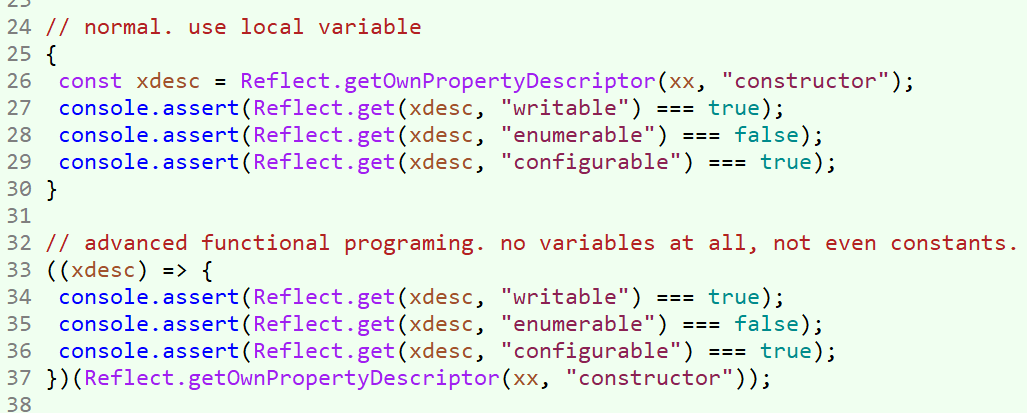
Advanced functional programing. Technique of removing variables.
// Advanced functional programing. Technique of removing variables

// lets say you want to avoid defining variable aa and bb. and return the whole cc as an expression
{
 const aa = 3;
 const bb = 4;
 const cc = aa + bb;
}
// 7

// define a arrow function.
// let the variable names in parameters.
// their actual value expressions are passed as arguments.
((aa, bb) => {
 const cc = aa + bb;
 return cc;
})(3, 4);
// 7
here's an actual application.