CSS: 3-Column Layout (by margin)
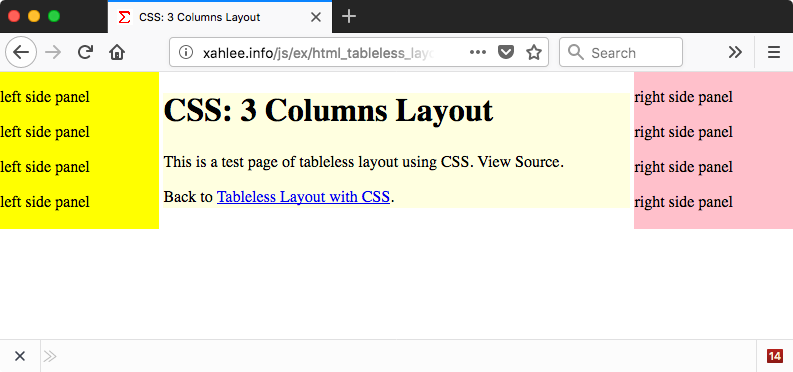
Here is how to create a 3-columns layout using Margin .
2026-08-15 note: you can use Flexbox Layout or Grid Layout, but using just margin still works and is simple.
<body>
<div id="xpanel-mid">some thing</div>
<div id="xpanel-left">some thing</div>
<div id="xpanel-right">some thing</div>
</body>
#xpanel-mid {
 margin-left: 20%;
 margin-right: 20%;
 background-color: lightyellow;
}

#xpanel-left {
 width: 20%;
 position: absolute;
 top: 0;
 left: 0;
 background-color: yellow;
}

#xpanel-right {
 width: 20%;
 position: absolute;
 top: 0;
 right: 0;
 background-color: pink;
}
Create 3 div elements, and set each's width.
For the middle panel, set margin-left and margin-right. This will fix it into a narrow central column.
For the left panel, specify a width that is the same as the middle's margin-left. This will fix the panel on the left side with a fixed width. Similar for the right pane.
The position: absolute is optional. It makes it into its layer.
You should also add Margin or Padding
Any text that is not in one of the left/middle/right containers will be left on the bottom.