Windows Console Keyboard Shortcuts
What is Windows Console
Windows Console is Microsoft's command line interface app. It began life in Windows 95 or so, and went thru several major updates.
Microsoft in 2019 created a Windows console replacement, the Windows Terminal. You should start using it instead.
by default, PowerShell on windows run in Windows Console. (as of 2022-07-17 on Microsoft Windows 10)
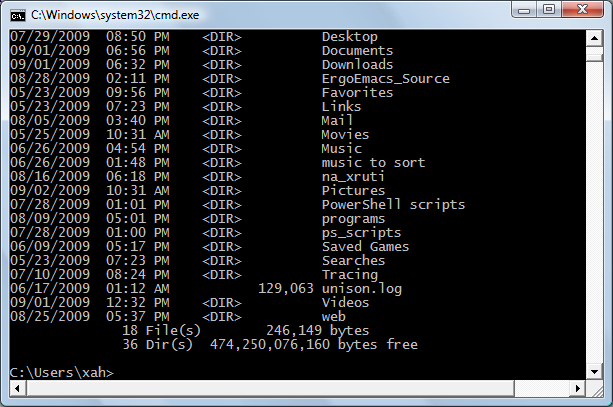
Change Font Size
- Ctrl + scroll mouse wheel
- increase/decrease font size for current window.
- Alt+Space p
-
Set up font size for current window.
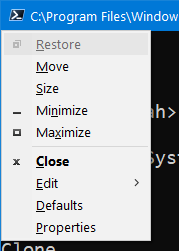
Windows 10 console setting 2021-05-23 - Alt+Space d
-
Set up default font size.
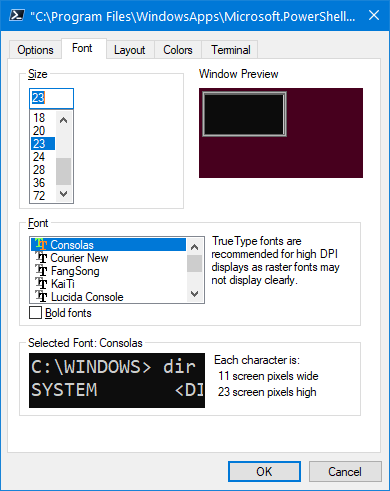
Windows 10 console setting 2021-05-23
Basic Keys
- Home → Beginning of Line
- End → End of Line
- Ctrl+← → Move cursor to previous word
- Ctrl+→ → Move cursor to next word
- Ctrl+c → Cancel current command or clear the current command line
Command History
- ↑ → Previous command
- ↓ → Next command
- PageUp → First Command
- PageDown → Last Command
- F8 → Search command history by a string
Rarely Used Keys
- F2 → Type previous command up to a char
- F3 → Display previous command
- F4 → Delete char forward up to a char
- F5 → Same as ↑
- F7 → List command history
- F9 → Run a previous command by its number index
Windows Console Tips
How to copy and paste in Windows console?
- Copy → Alt+Space e y
- Paste → Alt+Space e p
For using mouse, you need to enable it first. Right click on the window, then select “Properties”, click the “Options” tab. Check the “QuickEdit Mode”, press OK. Once that is done, you have copy and paste by mouse enabled.
- Copy = left-click drag your mouse over a area.
- Paste = right click once.
Is there a way to page up/down in Windows console?
Press Alt+Space e l. This invokes the menu [file ▸ Edit ▸ Scroll] and activate the scroll mode. Then, arrow keys does page up/down. To exit, press Enter or Esc.
Is there a keyboard shortcut to delete a whole word?
No. However, you can move by word, using Ctrl+← and Ctrl+→.
Is it possible to get Windows console to display Unicode such as Chinese?
Type chcp 65001. This will change output's encoding to utf-8. Also, you need to change font to Lucinda Console. However, even this doesn't work well, because Lucinda Console does not contain main Unicode symbols, and i still get dangerous beeps when type my_unicode.txt.
See: help chcp. For a list of codes, see: Code page
.
References:
- Console Code Pages @
http://msdn.microsoft.com/en-us/library/ms682064%28v=vs.85%29.aspx - 2012-03-31
http://stackoverflow.com/questions/388490/unicode-characters-in-windows-command-line-how - Consoling people about their troubles with the console By Michael S Kaplan. @
http://blogs.msdn.com/michkap/archive/2005/06/29/433669.aspx
Is there a app bundled with Windows Vista to do ssh?
Basically no. You can use PuTTY and Tera Term. Or, install cygwin and add openssh package.
Windows does not have the unix tradition of telnet/ssh to remote computers to do sys admin. (However, it does support remote computing, based on Remote Desktop Services.)
Windows Console Problems
- There's no keyboard shortcut to delete by word.
- Non-standard and hard-to-use keys for copy/paste.
- Page up/down keys don't work. (mouse scroll wheel works)
- No color support.
- Hard or impossible to display Unicode chars.
PowerShell ISE (Obsolete)
2025-06-25 PowerShell ISE is obsolete. it is recommended that you use Microsoft VS Code.
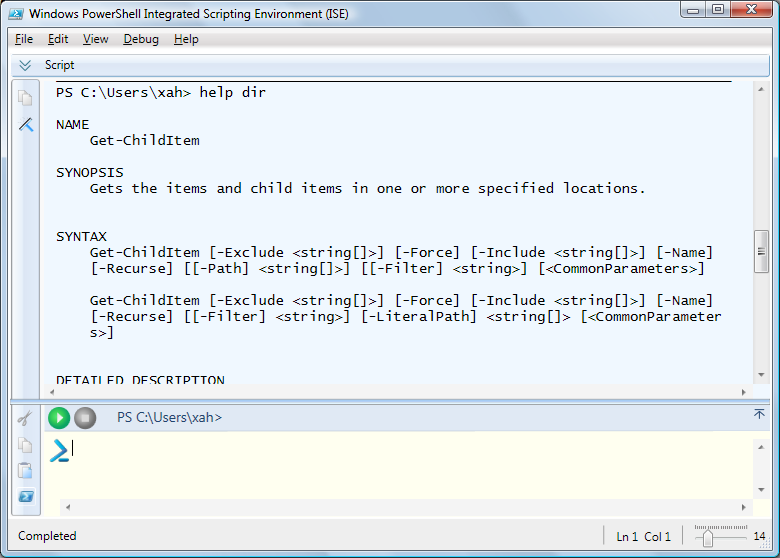
powershell_ise.exe.
If you are using PowerShell, a much better solution is to use the Windows PowerShell ISE instead. (ISE = Integrated Scripting Editor). The PowerShell ISE is bundled with PowerShell. The PowerShell ISE has split panes that lets you run commands in one pane and do script editing in another pane. And if you do not need to write scripts, you can close that pane and use it just like Windows Console. Also, PowerShell ISE can display Unicode chararacters, support color, support page up/down buttons, has keyboard shortcuts to delete by word, etc.
Emacs as Console Substitute
2011-03-31 Thanks to
Mouffe K rema
https://profiles.google.com/Alaeri/about
for tip about copy/paste keys. Thanks to iainelder for tip on paging keys.