Windows Vista: Add Dvorak Keyboard Layout
Windows Vista: Add Dvorak Keyboard Layout
Here is how to switch your layout on Windows Vista.
Press the 🪟 Windows key to open the Start Menu.
Click on Control Panel.
Click on “Clock, Language, and Region”.
Click on “Regional and Language Options”. A dialog window will pop up.
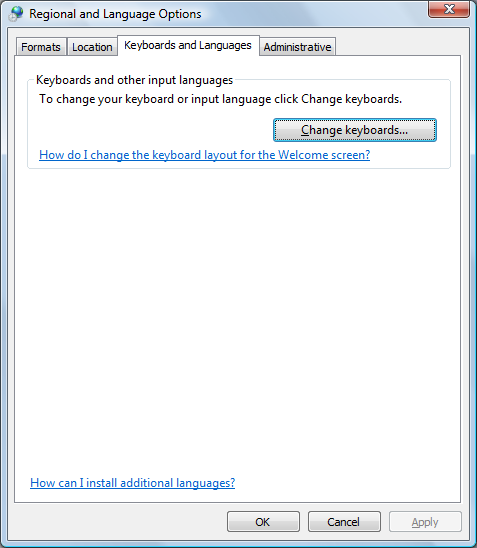
Click on the “Keyboards and Languages” tab.
Click the “Change keyboards…” button.
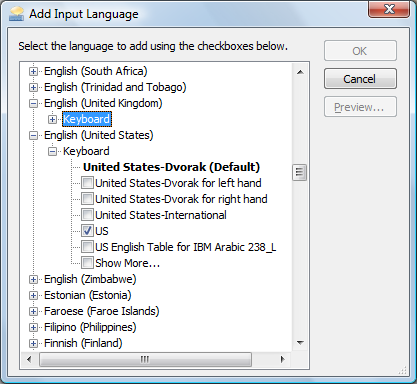
Click “Add…” button, then select menu [English ▸ Keyboard ▸ United States-Dvorak].