CSS issue, in html pre tag, no linebreak after tag (2006)
This page shows a odd CSS behavior of lines inside “pre” are being rendered without linebreaks.
It has to do with with CSS display:table.
Here is the HTML source code:
<pre style="display:table; border:solid thin">
<span style="color:red">line 1</span>
<span style="color:blue">line 2</span>
line 3
</pre>
Here is what Safari shows:

The following browsers render the first 2 lines into a single line.
- Safari (5.0.4 (7533.20.27)) on Windows. (latest version as of 2011-03-23)
- Google Chrome (10.0.648.151) on Windows. (latest version as of 2011-03-23)
- Firefox (1.5.0.5 Mac)
- Safari (2.0.4) on Mac
The following browsers renders each line separate.
- Firefox 4.0 on Windows. (latest version as of 2011-03-23)
- Internet Explorer 9. (latest version as of 2011-03-23)
- Opera 11.01 on Windows. (latest version as of 2011-03-23)
- Opera (9.00 Mac)
- iCab (β352 (3.0.1))
- Internet Explorer 6. (however, IE6 does not support CSS “display:table”.)
What Does Your Browser Show?
Here is test pages to see what your browser shows.
- Line Break After Tag Test Page (HTML4 strict)
- Line Break After Tag Test Page (XHTML)
What Does the Spec Say?
According to HTML 4 Specification , quote:
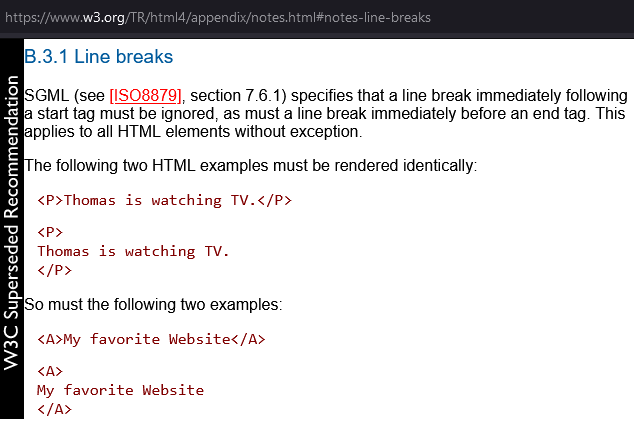
SGML (see [ISO8879], section 7.6.1) specifies that a line break immediately following a start tag must be ignored, as must a line break immediately before an end tag. This applies to all HTML elements without exception.
This may explain this behavior. However, this is indeed a very odd spec. How is one suppose to break the lines inside “pre” in the above situation? Adding “br” is illegal, and adding another line break doesn't help.
If you remove the display:table, then all browsers renders the “pre” as expected.
For another example, see: WebKit Bug: pre tag and display:table, Space Characters Not Rendered .